
Author name: MayaAiLabs

The AI Assessor: A Masterclass on Rapid Vulnerability Analysis and Equitable Resource Allocation

In the aftermath of a disaster, a humanitarian coordinator faces an impossible decision. The earthquake has affected a region of 500,000 people. The organization has resources to help 50,000 of them. Which 50,000? The elderly widow living alone? The family with five children and no income? The disabled man with no one to care for him? The pregnant woman with complications? Every choice means someone else goes without.

This is the daily reality of humanitarian work. Resources are always limited, and the need is always greater. The difference between equitable allocation and inequitable allocation can mean the difference between life and death. Yet, most organizations rely on incomplete information, manual surveys, and guesswork to make these critical decisions. Vulnerable populations—the elderly, the disabled, female-headed households, ethnic minorities—are often missed entirely.

What if you could analyze survey data from thousands of households in hours instead of weeks? What if you could instantly identify patterns of vulnerability that human eyes might miss? What if you could create a vulnerability score for each household, ensuring that resources reach those in greatest need first? What if you could detect and prevent bias in your allocation decisions?

This is the power of AI applied to needs assessment and vulnerability analysis. This masterclass will teach you how to use AI to conduct rapid, data-driven vulnerability assessments that are more accurate, more equitable, and more defensible than traditional methods. We will provide a five-phase workflow with practical, copy-and-paste prompts to help you make better allocation decisions. The goal is clear: ensure resources reach the most vulnerable first.

The Five-Phase AI Workflow for Vulnerability Assessment

This workflow provides a structured framework for using AI to analyze assessment data and make equitable resource allocation decisions.

PhaseFocusKey AI-Powered Outcome
Phase 1Rapid Survey Data ConsolidationSynthesize hundreds of survey responses into key findings and patterns.
Phase 2Vulnerability ScoringCreate a standardized vulnerability score for each household based on multiple criteria.
Phase 3Geographic MappingIdentify clusters of vulnerability for targeted intervention.
Phase 4Bias Detection & Equity AnalysisFlag potential discrimination or bias in allocation decisions.
Phase 5Allocation OptimizationRecommend equitable allocation of resources based on vulnerability scores.

Let’s explore how to execute each phase with practical prompts.

Phase 1: AI as Your Data Consolidation Engine

After a rapid needs assessment, you have survey responses from hundreds or thousands of households. Manually consolidating this data is time-consuming and error-prone. AI can instantly synthesize the data and identify key patterns and findings.

The Prompt:

Act as a data analyst for a humanitarian organization conducting a rapid needs assessment after a disaster. I am providing you with survey responses from [Number] households. Each response includes information about household composition, assets, income, access to services, and specific vulnerabilities.Survey Data (paste all responses here, or provide a sample): “”” Household 1: 6 people, elderly head of household (72 years), no income, no shelter, one disabled member Household 2: 4 people, female head of household, daily laborer (income disrupted), rented shelter destroyed, 2 children under 5 Household 3: 8 people, male head of household, farmer, some assets salvaged, shelter partially damaged, pregnant woman [Continue with all survey responses…] “””Task:

1.Analyze all the survey responses and identify the top 10 key findings about the affected population (e.g., “60% of households have lost their primary income source”).

2.Identify patterns of vulnerability (e.g., “Female-headed households are 3x more likely to have lost shelter”).

3.Create a summary table showing the distribution of key vulnerability indicators (e.g., percentage with no income, percentage with no shelter, percentage with disabled members).

4.Identify any data quality issues or gaps (e.g., “20% of responses missing income information”).

5.Provide a brief executive summary (5-7 sentences) highlighting the most critical needs.

Phase 2: AI as Your Vulnerability Scorer

Not all needs are equal. Some households are more vulnerable than others. This prompt helps you create a standardized vulnerability score for each household based on multiple criteria, ensuring consistent, defensible allocation decisions.

The Prompt:

Act as a vulnerability assessment specialist. I need to create a vulnerability scoring system for a humanitarian response. The system should identify the most vulnerable households for prioritized assistance.Vulnerability Criteria (with suggested weights):

•Household composition: Single-headed households, elderly members, disabled members, children under 5 (Weight: 25%)

•Economic status: Income loss, unemployment, asset loss, food insecurity (Weight: 30%)

•Housing/shelter: Homeless, severely damaged shelter, no access to safe water (Weight: 20%)

•Health/protection: Pregnant women, chronic illness, protection concerns (Weight: 15%)

•Social isolation: No family support, minority status, social exclusion (Weight: 10%)

Task:

1.For each vulnerability criterion, define 3-4 specific indicators that can be measured (e.g., for “household composition,” indicators could be “single-headed household,” “member over 60 years old,” “member with disability”).

2.For each indicator, define a scoring scale (e.g., 0-5 points).

3.Create a vulnerability scoring formula that combines all indicators into a single score (0-100).

4.Provide clear guidance on how to interpret the score (e.g., “0-20 = Low vulnerability, 21-40 = Moderate vulnerability,” etc.).

5.Create a simple scoring sheet that a field enumerator can use to score each household.

6.Present this as a one-page tool that can be printed and used in the field.

Phase 3: AI as Your Geographic Mapper

Vulnerability is not randomly distributed. It clusters in specific areas. This prompt helps you identify geographic hotspots of vulnerability so you can target your interventions efficiently.

The Prompt:

Act as a geographic information systems (GIS) specialist. I have vulnerability scores for [Number] households across [Geographic area, e.g., “a district affected by flooding”]. I need to identify geographic clusters of vulnerability.Household Data (paste here): “”” Household 1: Village A, Vulnerability Score 75 Household 2: Village A, Vulnerability Score 68 Household 3: Village B, Vulnerability Score 42 Household 4: Village C, Vulnerability Score 88 [Continue with all households…] “””Task:

1.Group households by geographic location (village, ward, zone, etc.).

2.Calculate the average vulnerability score for each location.

3.Identify the top 5-10 geographic areas with the highest average vulnerability.

4.For each high-vulnerability area, estimate the number of vulnerable households and the estimated population.

5.Suggest priority order for humanitarian interventions based on geographic vulnerability concentration.

6.Identify any areas with lower vulnerability that might be overlooked but still have pockets of high need.

7.Present this as a simple priority ranking that can guide resource allocation.

Phase 4: AI as Your Bias Detector

Even with good intentions, bias can creep into allocation decisions. Certain groups might be systematically excluded or under-served. This prompt helps you analyze your allocation decisions for potential bias and discrimination.

The Prompt:

Act as an equity and inclusion specialist. I need to analyze whether our allocation decisions are equitable or whether certain groups are being systematically disadvantaged.Allocation Data (paste here): “”” Household 1: Female-headed, Vulnerability Score 75, Allocated assistance: YES Household 2: Male-headed, Vulnerability Score 68, Allocated assistance: YES Household 3: Female-headed, Vulnerability Score 72, Allocated assistance: NO Household 4: Male-headed, Vulnerability Score 70, Allocated assistance: YES [Continue with all allocation decisions…] “””Demographic Groups to Analyze:

•Female-headed vs. male-headed households

•Households with disabled members vs. without

•Households with elderly members vs. without

•Ethnic/religious minorities vs. majority groups

•[Any other relevant groups in your context]

Task:

1.For each demographic group, calculate the percentage that received assistance.

2.Compare assistance rates across groups. Are there significant differences?

3.For any group that received assistance at a lower rate, analyze whether this is justified by lower vulnerability scores or whether it suggests bias.

4.Identify specific households that may have been unfairly excluded (high vulnerability score but no assistance).

5.Provide recommendations to reduce bias and improve equity in future allocations.

6.Present this as a brief equity analysis report.

Phase 5: AI as Your Allocation Optimizer

Given limited resources, how do you allocate them to maximize equity and impact? This prompt helps you optimize your allocation decisions to ensure resources reach those in greatest need.

The Prompt:

Act as a resource allocation specialist. I need to allocate [Number] assistance packages to [Number] vulnerable households. I want to ensure that resources reach those in greatest need while maintaining fairness and transparency.Available Resources:

•Total assistance packages available: [Number]

•Types of assistance: [e.g., “emergency shelter kits, food vouchers, cash assistance”]

•Budget constraints: [e.g., “total budget of $50,000”]

Household Data (paste here): “”” Household 1: 6 people, Vulnerability Score 92, Needs: shelter + food Household 2: 4 people, Vulnerability Score 88, Needs: food + medical Household 3: 3 people, Vulnerability Score 45, Needs: shelter [Continue with all households…] “””Task:

1.Rank households by vulnerability score (highest first).

2.Allocate assistance packages starting with the highest-vulnerability households until resources are exhausted.

3.For each assisted household, specify which type(s) of assistance they should receive based on their stated needs.

4.Calculate the total number of people reached and the percentage of the total affected population assisted.

5.Identify any high-vulnerability households that could not be assisted due to resource constraints, and suggest advocacy priorities.

6.Create a simple allocation list that field teams can use to distribute assistance.

7.Provide a brief equity summary showing that resources were allocated based on need, not bias.

Vulnerability Assessment is Justice

Humanitarian work is fundamentally about justice: ensuring that those in greatest need receive assistance first, that no one is left behind, and that resources are used equitably. By using AI to conduct rapid, data-driven vulnerability assessments, you are not just being more efficient; you are being more just.

These prompts provide a framework for turning raw survey data into actionable, equitable allocation decisions. They help you move from guesswork to evidence-based decision-making. They help you defend your allocation decisions to skeptics and critics. Most importantly, they help you ensure that the most vulnerable members of the community receive the help they need.

Your allocation decisions matter. Use these tools to make them count.
The AI Health Worker: A Masterclass on Decision Support for Frontline Medical Teams

In a remote health clinic in a conflict zone, a nurse sits across from a mother holding a feverish child. The child has a cough, difficulty breathing, and a rash on his chest. Is it malaria? Pneumonia? Measles? The nearest hospital is three days away by foot. The nurse has basic training, limited diagnostic tools, and no specialist to consult. The decision she makes in the next few minutes will determine whether this child lives or dies.

This scene plays out thousands of times every day across the humanitarian world. Health workers in remote areas, refugee camps, and disaster zones are expected to make life-and-death diagnostic and treatment decisions with limited training, incomplete information, and overwhelming caseloads. They are doing heroic work with inadequate tools. Many of them carry the weight of diagnostic uncertainty for the rest of their lives.

What if you could give every frontline health worker access to a world-class diagnostic advisor? What if they could describe a patient’s symptoms, and an AI system could instantly suggest the most likely diagnoses, recommend tests, and guide treatment protocols? What if they could check for dangerous drug interactions before prescribing? What if they could identify high-risk pregnancies before complications arise?

This is not science fiction. This is what a large language model (LLM) can do for your health workers today. This masterclass will teach you how to use AI as a decision support system for frontline medical teams. We will provide a five-phase workflow with practical, copy-and-paste prompts to help your health workers make better decisions, faster, and with more confidence. The goal is clear: save more lives with the resources you have.

The Five-Phase AI Workflow for Health Decision Support

This workflow provides a structured framework for using AI to support every stage of clinical decision-making, from initial assessment to follow-up care.

PhaseFocusKey AI-Powered Outcome
Phase 1Symptom-to-Diagnosis GuidanceAnalyze symptoms and suggest likely diagnoses with supporting rationale.
Phase 2Triage & Urgency AssessmentPrioritize patients based on severity and urgency of care needed.
Phase 3Treatment Protocol SupportRecommend evidence-based treatment protocols for confirmed diagnoses.
Phase 4Drug Interaction & Safety CheckingFlag dangerous medication combinations and contraindications.
Phase 5High-Risk Identification & ReferralIdentify patients who need specialist care or urgent referral.

Let’s explore how to execute each phase with practical prompts.

Phase 1: AI as Your Diagnostic Advisor

A health worker describes a patient’s symptoms. AI analyzes them and suggests the most likely diagnoses, ranked by probability, along with the clinical reasoning. This is not a replacement for clinical judgment; it is a thinking partner that helps the health worker consider possibilities they might otherwise miss.

The Prompt:

Act as a clinical decision support system for a health worker in a remote clinic with limited diagnostic capabilities. A patient presents with the following symptoms:Patient Information:

•Age: [Age]

•Sex: [Male/Female]

•Location: [Geographic region, e.g., “rural area with high malaria prevalence”]

•Vaccination status: [Vaccinated/Unvaccinated/Unknown]

Chief Complaint & Symptoms:

•[Symptom 1, e.g., “Fever for 5 days”]

•[Symptom 2, e.g., “Severe headache”]

•[Symptom 3, e.g., “Body aches”]

•[Symptom 4, e.g., “Vomiting”]

Vital Signs (if available):

•Temperature: [e.g., “39.5°C”]

•Heart Rate: [e.g., “110 beats per minute”]

•Respiratory Rate: [e.g., “28 breaths per minute”]

Task:

1.Based on these symptoms, provide a ranked list of the top 5 most likely diagnoses.

2.For each diagnosis, explain the clinical reasoning in 2-3 sentences.

3.For each diagnosis, list the key diagnostic tests that would confirm it (even if not available at the clinic, this helps the health worker understand what to look for).

4.Highlight any red flags that suggest this patient needs urgent referral.

5.Present this in a clear table format.

Phase 2: AI as Your Triage Officer

During a crisis or in an overwhelmed clinic, triage is critical. AI can help you quickly assess which patients need immediate care, which can wait, and which can be managed at home. This ensures resources are directed to those in greatest need.

The Prompt:

Act as a triage specialist for a humanitarian health clinic. I am providing you with brief descriptions of [Number] patients who have arrived at the clinic today. The clinic has limited resources: one doctor, two nurses, and basic supplies.Patient List:

•Patient 1: [Brief description, e.g., “6-year-old with severe difficulty breathing, stridor, drooling”]

•Patient 2: [Brief description, e.g., “45-year-old with chest pain and shortness of breath”]

•Patient 3: [Brief description, e.g., “3-year-old with mild cough and runny nose”]

•Patient 4: [Brief description, e.g., “Pregnant woman with severe abdominal pain and vaginal bleeding”]

•Patient 5: [Brief description, e.g., “Adult with minor cut on hand, needs wound cleaning”]

Task:

1.Assign each patient to one of four triage categories: IMMEDIATE (Life-threatening, needs care now), URGENT (Serious, needs care within 1 hour), DELAYED (Stable, can wait 2-4 hours), or MINOR (Non-urgent, can be managed at home or sent to outpatient clinic).

2.For each patient, provide a brief justification for your triage category.

3.Suggest the order in which patients should be seen.

4.For DELAYED and MINOR patients, suggest simple interventions the nurse can do while waiting for the doctor.

5.Present this as a triage board that the clinic can print and use.

Phase 3: AI as Your Treatment Protocol Guide

Once a diagnosis is suspected or confirmed, the health worker needs to know what to do. AI can provide evidence-based treatment protocols tailored to the resources available in a remote clinic, including dosing, duration, and monitoring.

The Prompt:

Act as a clinical protocol advisor for a remote health clinic. The clinic has confirmed a diagnosis of [Diagnosis, e.g., “uncomplicated malaria”] in a [Patient type, e.g., “5-year-old child”].Available Resources:

•Medications available: [List, e.g., “artemether, quinine, paracetamol, ibuprofen”]

•Diagnostic tools: [List, e.g., “rapid diagnostic test, blood smear microscopy”]

•Monitoring capability: [e.g., “basic vital signs, no lab tests”]

Task:

1.Provide a step-by-step treatment protocol for this diagnosis, including:

•Recommended first-line medication and dosage (weight-based if applicable)

•Duration of treatment

•Monitoring parameters (what to watch for during treatment)

•When to escalate or change treatment

2.Provide a second-line option if the first-line medication is not available or the patient does not respond.

3.List any supportive care measures (e.g., fluids, nutrition, rest).

4.Specify clear criteria for when this patient should be referred to a higher-level facility.

5.Present this as a simple, one-page protocol that a health worker can follow.

Phase 4: AI as Your Drug Safety Checker

Polypharmacy (using multiple medications) is common, especially in patients with chronic conditions. Drug interactions can be dangerous or even fatal. This prompt helps health workers check for dangerous combinations before prescribing.

The Prompt:

Act as a pharmacist specializing in drug interactions. A health worker is about to prescribe the following medications to a patient:Patient Information:

•Age: [Age]

•Pregnancy status: [Pregnant/Not pregnant/Unknown]

•Kidney function: [Normal/Impaired/Unknown]

•Liver function: [Normal/Impaired/Unknown]

Current Medications:

•[Medication 1, e.g., “Artemether 80mg IM daily”]

•[Medication 2, e.g., “Quinine 600mg IV every 8 hours”]

•[Medication 3, e.g., “Paracetamol 500mg every 6 hours”]

•[Medication 4, e.g., “Amoxicillin 500mg every 8 hours”]

Task:

1.Check for any dangerous drug-drug interactions.

2.Check for any contraindications based on the patient’s age, pregnancy status, or organ function.

3.For any interactions or contraindications found, explain the risk in simple language.

4.Suggest safer alternatives if available.

5.Provide a clear recommendation: SAFE TO PRESCRIBE, USE WITH CAUTION (monitor closely), or DO NOT PRESCRIBE (dangerous).

6.Present this as a simple safety checklist.

Phase 5: AI as Your High-Risk Identifier

Some patients need specialist care or urgent referral. AI can help you identify these high-risk cases before complications arise, potentially saving lives through timely referral.

The Prompt:

Act as a clinical risk assessor for a humanitarian health program. I am providing you with clinical information on [Number] patients. I need you to identify which patients are at high risk and need urgent referral or specialist consultation.Patient Summaries:

•Patient 1: [Clinical summary, e.g., “Pregnant woman, 28 weeks gestation, blood pressure 160/110, proteinuria +3”]

•Patient 2: [Clinical summary, e.g., “Child, 18 months old, severe acute malnutrition, diarrhea, fever”]

•Patient 3: [Clinical summary, e.g., “Adult, diabetic, blood glucose 450 mg/dL, fruity-smelling breath”]

•Patient 4: [Clinical summary, e.g., “Child, 3 years old, cough for 2 weeks, weight loss, TB contact”]

Task:

1.For each patient, identify the key risk factors that suggest they need specialist care or urgent referral.

2.Classify each patient’s risk level: IMMEDIATE REFERRAL (life-threatening), URGENT REFERRAL (within 24 hours), or ROUTINE REFERRAL (within 1 week).

3.For each patient, specify what type of specialist or facility they should be referred to.

4.Suggest what monitoring or supportive care should be provided while awaiting referral.

5.Present this as a referral prioritization list that the clinic can use.

AI as Your Trusted Advisor, Not Your Replacement

Let me be absolutely clear: AI is not a replacement for clinical judgment. A health worker’s experience, intuition, and knowledge of their community are irreplaceable. What AI provides is a thinking partner—a way to access medical knowledge instantly, to catch things you might miss, and to give you the confidence to make better decisions.

The prompts in this masterclass are designed to support, not replace, human decision-making. They should always be used in conjunction with clinical judgment, local protocols, and consultation with more experienced colleagues when available.

By using AI as a decision support tool, you are not diminishing your role as a health worker; you are amplifying it. You are bringing the knowledge of the world’s best medical minds to your clinic, so you can provide better care with the resources you have.

Your patients deserve the best care possible. Use these tools to give it to them.

The AI-Powered MEAL Officer: A Masterclass on Proving and Improving Impact

In the humanitarian and development sectors, Monitoring, Evaluation, Accountability, and Learning (MEAL) is the heartbeat of our work. It is the rigorous process through which we listen to the communities we serve, understand our successes and failures, prove our impact to donors, and learn how to do better. Yet, the professionals on the front lines of MEAL are often facing an impossible task: they are drowning in data.

From handwritten field reports and stacks of survey forms to hours of focus group transcripts and a constant stream of community feedback, the volume of information is overwhelming. The promise of “data-driven decision-making” feels distant when you spend weeks manually coding qualitative data or trying to find the signal in the noise of a thousand narrative reports. By the time the insights are ready, the opportunity to act on them has often passed.

What if you could change that? What if you had an assistant that could read 100 pages of interview transcripts and pull out the key themes in under a minute? What if it could analyze a year’s worth of community feedback and flag the most urgent issues instantly? This is not a future fantasy; it is what a large language model (LLM) can do for you today.

This masterclass will teach you how to use AI as your personal MEAL officer. We will provide a four-phase workflow, with copy-and-paste prompts, to supercharge every component of your MEAL framework. The goal is to automate the burdensome parts of data analysis so you can focus on what humans do best: strategic thinking, building relationships, and driving meaningful change.

The Four-Phase AI Workflow for MEAL

This workflow breaks down the MEAL cycle into four distinct, AI-powered sprints. Each phase provides a specific prompt to tackle the most common data challenges faced by MEAL professionals.

PhaseComponentKey AI-Powered Outcome
Phase 1MonitoringGenerate real-time insights from weekly narrative field reports.
Phase 2EvaluationInstantly analyze hundreds of pages of qualitative interview data.
Phase 3AccountabilityTurn unstructured community feedback into actionable priorities.
Phase 4LearningSynthesize lessons from multiple projects to inform future strategy.

Let’s dive into the practical application for each phase.

Phase 1: AI for Automated Monitoring

Your field teams send in weekly or monthly narrative reports. They are rich with information, but analyzing dozens of them is time-consuming. This prompt turns your AI into a monitoring assistant that reads them all and gives you a high-level summary.

The Prompt:

Act as a MEAL specialist for a humanitarian organization. I am providing you with [Number] weekly narrative reports from our field officers for the [Project Name] project. The project goals are [Goal 1] and [Goal 2].Task:

1.Read all the reports provided below.

2.Synthesize them into a single, concise summary dashboard.

3.The dashboard must be in a markdown table and include the following columns: Region, Key Achievements This Week, Top 3 Challenges/Blockers, and Emerging Risks.

4.After the table, pull out one direct quote from a report that represents a significant success story.

5.Finally, list any recurring challenges that appear in more than 30% of the reports.

Here are the reports: “”” [Paste all your narrative reports here. For example: Report 1: Officer John Doe, Region North… Report 2: Officer Jane Smith, Region South… etc.] “””

Phase 2: AI for Rapid Qualitative Evaluation

Qualitative data from interviews and Focus Group Discussions (FGDs) is incredibly valuable but notoriously difficult to analyze. This prompt transforms your AI into a qualitative researcher, saving you hundreds of hours of manual coding.

The Prompt:

Act as a qualitative data analyst. I am providing you with the full transcripts from [Number] Focus Group Discussions conducted for the end-of-project evaluation of our [Project Name] project. The project was designed to improve [Objective of project].Task:

1.Analyze all the transcripts provided below.

2.Identify and list the top 5-7 recurring themes that emerge from the discussions.

3.For each theme, provide a brief description and 2-3 direct, powerful quotes from participants that exemplify the theme.

4.Create a table that summarizes the perceived Strengths and Weaknesses of the project, as mentioned by the participants.

5.Identify any unexpected or surprising findings that were not anticipated in the project design.

Here are the transcripts: “”” [Paste all your FGD or interview transcripts here.] “””

Phase 3: AI for Real-Time Accountability

An effective accountability system listens to the community. But what happens when you have hundreds of comments from suggestion boxes, SMS hotlines, or feedback forms? This prompt helps you analyze it all instantly.

The Prompt:

Act as an Accountability to Affected Populations (AAP) officer. I have a list of [Number] unstructured feedback comments received from community members over the past month through our feedback mechanism.Task:

1.Read all the feedback comments.

2.Categorize each piece of feedback into one of the following categories: Positive Feedback, Request for Information, Suggestion for Improvement, Complaint (Non-Urgent), Complaint (Urgent – e.g., safety or exploitation concern).

3.Present the results in a table with two columns: Category and Number of Comments.

4.Pull out the exact text of all comments categorized as “Complaint (Urgent)” for immediate follow-up.

5.Summarize the top 3 most common suggestions for improvement.

Here is the feedback: “”” [Paste all the raw feedback here. For example: “The water pump is broken again.” “Thank you for the seeds, they are growing well.” “When is the next distribution?”] “””

Phase 4: AI for Cross-Project Learning

The “L” in MEAL is often the most neglected part. Organizations conduct evaluations but fail to apply the lessons learned. This prompt uses AI to synthesize findings from multiple projects to inform future strategy.

The Prompt:

Act as a strategic learning advisor for a large NGO. I am providing you with the executive summaries from the final evaluation reports of three different projects we implemented in the past two years: [Project A Name], [Project B Name], and [Project C Name].Task:

1.Analyze the three executive summaries provided below.

2.Identify and synthesize the cross-cutting lessons learned across all three projects. Focus on what worked well and what didn’t, particularly in the areas of community engagement, project sustainability, and staff capacity.

3.Create a list of 5 concrete, actionable recommendations for the design of our next 5-year strategic plan.

4.Identify any conflicting findings or areas where the projects had different outcomes, and suggest why that might be.

Here are the executive summaries: “”” [Paste the executive summaries here.] “””

The Future of MEAL is Human-Centric, AI-Powered

By automating the most laborious aspects of data analysis, AI does not replace the MEAL professional. It empowers them. It frees you from the drudgery of manual coding and report consolidation and allows you to step into your most valuable role: that of a strategic advisor.

Imagine walking into a weekly meeting with an automated summary of all field activities. Imagine producing a draft evaluation report in a single afternoon. Imagine knowing, in real-time, the most pressing concerns of the community you serve. This is the new reality that AI enables.

Start with the phase that addresses your biggest pain point. Copy the prompt, paste in your data, and witness the transformation. By embracing AI as your partner, you can build a MEAL system that is not only more efficient but also more responsive, insightful, and ultimately, more impactful.

Beyond Google: An Advanced AI Playbook for Humanitarian Leaders

You’ve used ChatGPT. You’ve asked it to explain a topic or find some facts. But what if you’re only using 10% of its true power? What if you’re using a supercomputer like a simple calculator?

Most professionals are treating AI like a slightly better Google search, getting generic answers and missing its true potential. They ask simple questions and get simple results.

This guide will change that. We will teach you four advanced techniques that will transform AI from a simple search engine into your personal strategist, a ruthless editor, a creative thinking partner, and a workflow automator. These methods will elevate the quality of your work from amateur to professional, and they are all completely free.

Technique 1: “Act As…” — The Power of Role-Playing

This is the single most important technique in all of AI prompting. Before you ask the AI to do anything, you must first tell it who it should be. This frames its vast knowledge, changes its tone, and dramatically improves the quality of its response.

The Novice Prompt (a simple command):

“Write a summary of my project.”

The Advanced Prompt (giving the AI a specific, expert role):

“Act as a world-class monitoring and evaluation (M&E) specialist for the United Nations. You are an expert in results-based management and donor reporting. I am going to give you the details of my project. I need you to write a one-page executive summary that would be compelling to a major institutional donor like USAID or the World Bank. Focus on impact, scalability, and data-driven outcomes.”

The Lesson: By giving the AI an expert persona, you unlock a higher level of knowledge. You get a professional-grade output tailored to a specific audience, not a generic summary.

Technique 2: “Red Teaming” — Using AI to Challenge Your Own Ideas

The biggest danger in any project is your own bias. You are too close to your idea to see its flaws. A “red team” is a dedicated adversary whose only job is to find the weaknesses in your plan. You can use AI as your personal, on-demand red team.

The Novice Prompt (seeking confirmation):

“Is my project a good idea?”

The Advanced Prompt (seeking critical feedback):

“Act as a deeply skeptical and critical program evaluator from a major foundation. You are reviewing my proposal for a new water sanitation project in rural Uganda. I am going to describe the project. Your job is to be ruthless. Find every single flaw, every unstated assumption, every logistical weakness, and every potential unintended negative consequence. Do not be positive. Your goal is to stress-test this idea and show me why it might fail.”

The Lesson: This technique helps you anticipate problems before they happen. It makes your planning more robust and prepares you for the toughest questions from donors and stakeholders, making your final proposal bulletproof.

Technique 3: “Chain-of-Thought” — Forcing Deeper Analysis

When you ask for a direct answer, AI can sometimes give you a superficial one because it takes a shortcut. To get a deeper, more strategic output, you must force the AI to “think step-by-step” and show its work.

The Novice Prompt (asking for a simple answer):

“What’s the best way to run a needs assessment?”

The Advanced Prompt (forcing a structured analysis):

“I need to develop a strategy for a community needs assessment for a new maternal health program. Before you give me the final answer, I want you to perform a step-by-step analysis:

  1. First, list the 5 most common methods for needs assessments in a humanitarian context.
  2. Second, for each method, list its primary pros and cons (e.g., cost, time, depth of insight).
  3. Third, considering my project is focused on maternal health and has a limited budget, recommend the single best ‘mixed method’ approach.
  4. Finally, based on your recommendation, provide a sample 5-question survey I could use.”

The Lesson: This forces the AI to show its reasoning, compare options, and provide a much more nuanced and strategic recommendation. You see the “why” behind the “what,” which is far more valuable than the answer alone.

Technique 4: “Ideation Scaffolding” — For Creative Brainstorming

Sometimes the challenge isn’t analyzing an idea, but coming up with one in the first place. AI can be an incredible brainstorming partner if you give it a creative structure to work within.

The Novice Prompt (a vague request):

“Give me some ideas for a fundraising campaign.”

The Advanced Prompt (providing a creative scaffold):

“Act as a world-class creative director for a major social impact advertising agency. I need to brainstorm a fundraising campaign for my NGO, which provides clean cookstoves to families.

I want you to generate 3 distinct campaign ideas. For each idea, please use the following structure:

  • Campaign Title: A catchy, memorable name.
  • The Core Idea: A one-sentence summary of the campaign’s concept.
  • The Hook: What is the surprising or emotional element that will grab people’s attention?
  • The Call to Action: What is the specific thing we are asking people to do?”

The Lesson: By providing a clear structure (the “scaffold”), you guide the AI’s creativity. Instead of getting a generic list, you get three fully-formed, strategic campaign concepts that you can immediately build upon.

Conclusion: Stop Searching, Start Thinking

The difference between a novice and an expert AI user is not the tool they use; it’s the way they think. By using role-playing, red teaming, chain-of-thought, and creative scaffolding, you move beyond simple questions and start having strategic conversations.

Stop using AI as a search engine. Start using it as your partner.

Pick one of these advanced techniques and apply it to a real work challenge this week. The quality of your output will astound you, and the impact on your mission will be profound.

Try Writesonic for Free →

The AI-Powered Field Kit: A Guide for Humanitarians to Manage Budgets and Reporting with Free Tools

You didn’t get into humanitarian work to spend your days fighting with spreadsheets. You’re on the ground to make an impact. Yet, so much of your time is consumed by essential administrative burdens: tracking expenses, updating budgets, and writing weekly reports. These tasks are critical for accountability and planning, but they are a constant drain on your time and energy.

What if you could automate the most painful parts of this process? What if you could supercharge the tools you already use every day—like Excel and Google Sheets—with the power of free AI?

This guide is your practical field kit. It will show you how to spend less time on paperwork and more time on your mission, bringing a new level of professionalism and efficiency to your operations.

Step 1: Automate Expense Categorization

The Challenge: At the end of the month, you have a long list of receipts and transactions. Manually sorting each one into the correct budget category (“Transportation,” “Supplies,” “Salaries”) is tedious, time-consuming, and prone to error.

The AI Workflow: Use ChatGPT to automatically categorize your spending in seconds.

The Prompt:

“Act as my field finance officer. I am going to paste a list of expenses from my project. For each item, please categorize it into one of the following budget categories: ‘Transportation’, ‘Program Supplies’, ‘Salaries’, ‘Office Rent’, ‘Utilities’.

Present the output as a clean, two-column markdown table (‘Expense’, ‘Category’) that I can easily paste back into my spreadsheet.”

[Paste your list of expenses here, e.g., ‘Bus fare for team, $25’, ‘Printing of training manuals, $100’, ‘Project manager salary, $500’]”

The Impact: You can categorize hundreds of transactions in seconds, not hours. This process ensures consistency and accuracy in your financial tracking.

Step 2: Write Complex Excel Formulas with Plain English

The Challenge: You know what you want to calculate in Excel, but you don’t know the right formula to do it. You need to find “the total amount spent on ‘Program Supplies’ for the ‘North District’ site,” but wrestling with SUMIFS or VLOOKUP is frustrating.

The AI Workflow: Use ChatGPT to be your personal Excel formula generator. Just describe what you need.

The Prompt:

“Act as an Excel formula expert. I have a spreadsheet with project expenses.

  • Column A has the ‘Project Site’ (e.g., ‘North District’, ‘South District’).
  • Column B has the ‘Expense Category’ (e.g., ‘Program Supplies’).
  • Column C has the ‘Amount’.

I need the exact Excel formula to calculate the total amount spent on ‘Program Supplies’ only for the ‘North District’.

The Impact: You never have to search for a formula again. You can perform complex budget analysis simply by describing the outcome you need, making you a spreadsheet wizard.

Step 3: Create Charts and Graphs with AI

The Challenge: You have your data in a spreadsheet, but turning it into a clear, professional-looking chart for a presentation or report is a multi-step, often confusing process.

The AI Workflow: Use the AI features built into tools like Microsoft Excel or Google Sheets, or use ChatGPT to write the code for you.

The Prompt (for ChatGPT):

“Act as a data visualization expert. I have a simple dataset of my project’s spending by category:

  • Transportation: $500
  • Program Supplies: $1,200
  • Salaries: $2,500
  • Office Rent: $300

I need to create a visual for my donor report. Please provide the Python code using the Matplotlib library to create a clean, professional pie chart that shows the percentage of spending for each category. Label each slice clearly.”

The Impact: Even if you don’t know how to code, you can use free online Python interpreters to run this code and generate a perfect chart in seconds. This allows you to create compelling data visualizations that clearly communicate your project’s financial story.

Step 4: Automate Your Weekly Progress Reports

The Challenge: Every week, you have to summarize your team’s activities, challenges, and successes into a concise report for your manager or donors. It’s repetitive and takes you away from your core work.

The AI Workflow: Create a simple template for your updates and use AI to draft the professional narrative.

The Prompt (for ChatGPT):

“Act as my project assistant. I need to write my weekly progress report. Here are the bullet points of what my team accomplished this week:

  • Distributed 250 food parcels in the North district.
  • Completed needs assessment for 50 families.
  • Met with community leaders to plan next week’s distribution.
  • Ran into a challenge with vehicle maintenance, causing a 1-day delay.

Please draft a professional, 150-word summary paragraph for my weekly report. Structure it with three sections: ‘Key Activities This Week,’ ‘Progress Towards Goals,’ and ‘Challenges & Next Steps.’

The Impact: Your weekly reporting time is cut by 90%. You just provide the facts in simple bullet points, and AI provides the polished, professional narrative.

Conclusion: More Mission, Less Admin

Professionalism isn’t about having the most expensive software; it’s about being effective, efficient, and accountable. By integrating AI with the free, everyday tools you already know, you can bring a new level of operational excellence to your humanitarian work.

Your time is your most valuable asset for making an impact. Use these prompts to reclaim that time from administrative tasks. Pick one workflow and try it this week. The minutes you save will add up to hours you can dedicate to your mission.

The AI-Powered Grant Writer: A Guide for NGOs to Secure More Funding, Faster

Your organization does life-changing work. Whether you’re protecting a fragile ecosystem, educating children, or providing critical healthcare, your mission is what drives you.

But you probably spend countless hours not on that mission, but on the endless, grueling cycle of fundraising. You’re searching for grants, writing proposals, and filing reports. It’s a process that drains your most valuable resource: time.

What if you could automate the most painful parts of this process? What if you could build an “AI Grant Writing Assistant” to handle the tedious work, freeing you up to focus on the impact you were meant to make?

Key Takeaways

  • Automate Research: Use AI to find grants that match your specific mission in minutes, not days.
  • Draft Faster: Overcome writer’s block by using AI to generate first drafts of your “Statement of Need.”
  • Personalize at Scale: Tailor every proposal to the funder’s specific language without rewriting from scratch.

This guide will show you how. We’ll walk through a practical, step-by-step workflow to find the right funding opportunities, draft powerful narratives, and streamline your reporting.

Step 1: Find the Perfect Grant with AI-Powered Research

The Challenge: Sifting through thousands of foundations and grant databases to find opportunities that are a perfect fit for your specific mission, location, and project size is exhausting and often feels like searching for a needle in a haystack.

The AI Workflow: Use a research-focused AI tool like Perplexity AI to act as your dedicated development officer, scanning the web for the most relevant funders.

The Prompt:

“Act as a non-profit development consultant. My organization is an NGO focused on ‘providing primary education and literacy programs for girls in rural Guatemala.’

Using recent search results, identify 5 foundations or charitable trusts that have a documented history of funding similar educational projects in Central America. For each one, summarize their funding priorities and list their typical grant size.”

The Impact: In minutes, you get a highly-qualified list of potential funders who are already interested in your cause. This replaces days of manual, frustrating research.

Step 2: Draft a Compelling “Statement of Need” with AI

The Challenge: Clearly and emotionally articulating the problem you solve is the heart of any successful grant proposal. Staring at a blank page while trying to capture the urgency of your cause is a huge creative barrier.

The AI Workflow: Use ChatGPT to help you draft a powerful narrative that blends storytelling with data.

The Prompt:

“I am writing a grant proposal. I need to write the ‘Statement of Need’ section.

My project provides solar-powered lights to off-grid medical clinics in sub-Saharan Africa, allowing them to operate safely at night.

Please draft a compelling 200-word ‘Statement of Need.’ Start with a powerful, human-centric story (e.g., a midwife delivering a baby by the light of a single candle). Then, incorporate 2-3 surprising statistics about the challenges of healthcare without reliable electricity. End with a clear, urgent statement of the problem our project solves.”

The Impact: AI helps you overcome writer’s block and crafts a narrative that is both emotionally resonant and logically sound, capturing the attention of the grant reviewer.

Step 3: Tailor Your Proposal to Each Funder in Seconds

The Challenge: Every foundation has a slightly different mission, vision, and vocabulary. A generic, copy-pasted proposal is easily identified and dismissed. But customizing every proposal is incredibly time-consuming.

The AI Workflow: Use Claude or ChatGPT to quickly “reskin” your core proposal to align with the specific language of each funder.

The Prompt:

“I have a standard grant proposal. I am now applying to the ‘Ford Foundation,’ whose mission statement emphasizes ‘social justice, reducing inequality, and community-led change.’

Please review my ‘Project Goals’ section below and suggest 3-4 edits. The goal is to re-phrase my objectives using language that directly aligns with the Ford Foundation’s stated priorities. I want to show them I understand what they care about.”

[Paste your ‘Project Goals’ section here]”

The Impact: You can create a semi-customized proposal for every funder in a fraction of the time, dramatically increasing the chance that your project will resonate with their review committee.

Step 4: Streamline Your Budgets and Impact Reports

The Challenge: Translating your project’s activities into a formatted budget or summarizing your quarterly progress into a compelling impact report is tedious, administrative work that pulls you away from your mission.

The AI Workflow: Use AI to structure your data and draft the narrative for your reports.

The Prompt:

“Act as my non-profit program manager. I need to create a simple quarterly impact report for our funders.

Here is the raw data from our literacy program last quarter: ‘We delivered 500 educational kits to 3 villages, trained 25 local teachers in our new curriculum, and post-program testing shows our students’ reading comprehension scores improved by an average of 15%.’

Please draft a short, professional ‘Impact Summary’ paragraph. Frame the data within a compelling narrative of progress and success, and connect it back to our core mission of empowering girls through education.”

The Impact: AI transforms your raw data into a professional, persuasive story of impact, making reporting faster and more effective.

Conclusion: More Mission, Less Paperwork

AI will never replace the passion, the expertise, and the human connection at the heart of non-profit work. It cannot build relationships with community leaders or comfort a person in need.

Manager’s Recommendation: Automate Your Grant Research

If you find yourself spending hours manually searching for grants or rewriting proposals, you might need a more robust solution. CustomGPT.ai allows you to upload your past successful proposals and train a private AI agent that writes in your organization’s exact voice.

The AI-Powered Classroom: A Practical Guide for Educators in Low-Resource Settings

You’re on the front lines of education. You work in a community where resources are scarce, but the desire to learn is limitless. You see the challenges every day: overcrowded classrooms, a lack of relevant teaching materials, and a diverse range of student learning needs.

Technology often feels like a luxury you can’t afford, a world away from the realities of your classroom. But what if the most powerful new tool was practically free?

This guide is for you. It’s a no-nonsense, practical playbook on how to use free and low-cost AI tools to create customized learning materials, translate content, and build simple assessments—even with limited technical skills. You don’t need a fancy computer lab; you just need a smartphone and a passion for teaching.

1. Create Infinite, Localized Stories with ChatGPT

The Challenge: Children learn best with stories and examples that reflect their own culture, environment, and lives. But finding—let alone affording—books set in their local context is often impossible.

The AI Workflow: Use a free tool like ChatGPT to become an infinite storyteller, generating culturally relevant tales in seconds.

The Prompt:

“Act as a children’s storyteller. I need a short, simple story for a 7-year-old that teaches a basic lesson about ‘the importance of sharing.’

The story must be set in ‘a small, rural village in the mountains of Peru.’ The main characters should be two children named Mateo and Sofia. The story should include familiar local elements like llamas and quinoa fields.”

The Impact: With one prompt, you can create a library of relatable, localized educational content. You can change the lesson, the setting, and the characters to perfectly match your students’ world, making learning more engaging and effective.

2. Translate and Simplify Any Document with Claude

The Challenge: You find a fantastic online resource—a science worksheet, a health guide, a technical manual—but it’s in English or another language your students don’t speak. The knowledge is there, but it’s locked away.

The AI Workflow: Use an AI tool with a large “context window” like Claude, which is excellent at handling and translating large blocks of text.

The Prompt:

“I am pasting a short educational text about the water cycle below. Please do two things:

  1. Translate the entire text into ‘Tagalog.’
  2. After translating, simplify the language in the Tagalog version to be easily understood by a 10-year-old who is an average reader.”

[Paste the English text here]”

The Impact: This simple process breaks down language barriers. You can make the world’s knowledge accessible to your students, adapting complex topics into simple, understandable lessons in their native tongue.

3. Generate Quizzes and Worksheets in Minutes

The Challenge: Creating effective quizzes and worksheets to check for understanding is a time-consuming, manual process.

The AI Workflow: Use ChatGPT to generate questions based on your lesson, then use a free tool like Google Forms to create the quiz.

The Prompt:

“I just taught a lesson based on the story you helped me create about Mateo and Sofia learning to share.

To help me create a worksheet, please generate 5 simple multiple-choice questions that will check if the students understood the main lesson of the story. For each question, provide 3 possible answers, with only one being correct.”

The Action: In seconds, you have a ready-made quiz. You can copy these questions into a simple Google Form to create a digital test or paste them into a document for a printable worksheet.

4. Create Custom Visual Aids with Canva’s AI

The Challenge: Visuals are critical for learning, especially for younger children or students with different learning styles. But you don’t have a graphic designer, and stock photo libraries are expensive and often lack relevant images.

The AI Workflow: Use the free “Text to Image” app inside Canva to generate an unlimited supply of custom illustrations for your lessons.

The Prompt (inside Canva’s Text-to-Image app):

“A simple, colorful cartoon illustration for children, showing two kids, a boy and a girl, happily sharing a piece of fruit under a big tree. The style should be flat, friendly, and vibrant.”

The Impact: You can create custom images for any story, concept, or lesson. This allows you to build a visually rich and engaging learning environment for your students at zero cost.

Conclusion: The Power in Your Hands

You don’t need a big budget or a team of developers to bring the power of AI to your classroom. With a few clever prompts and free tools, you can become a content-creation powerhouse for your students.

Technology is at its best when it serves humanity, closing gaps and creating opportunities where there were none.

Start with one of these workflows this week. The impact you have on a single student’s learning journey is immeasurable. You have always had the passion and the dedication. Now, you have the tools.

Beyond Profits: 5 Practical Ways AI is Revolutionizing Humanitarian Work

As founders, we’re obsessed with using AI for growth—to acquire users, to optimize marketing, to build products faster. We celebrate the power of a good prompt and the efficiency of an automated workflow. But what if that same technology held the key to solving some of the world’s most pressing challenges?

What if the tools we use to build our startups could also be used to rebuild lives?

This isn’t a question about the distant future; it’s about the reality of today. This article explores five practical, real-world examples of how AI is being used right now in the humanitarian sector. This isn’t science fiction; it’s a look at how accessible AI tools can make a tangible impact in education, healthcare, disaster response, and more.

It might just change the way you look at your own toolkit.

1. Education in Crisis Zones: The Personal AI Tutor

The Problem: Providing a consistent, quality education to millions of displaced children in refugee camps or crisis zones is a monumental challenge. A lack of trained teachers, overcrowded classrooms, and language barriers can make meaningful learning almost impossible.

The AI Solution: AI-powered adaptive learning platforms, delivered on low-cost tablets. These platforms can assess a child’s knowledge level and create a personalized learning path, adjusting the difficulty in real-time. They can provide lessons in a child’s native language and offer instant feedback, acting as a “personal AI tutor” when human teachers are stretched thin.

The Connection: The same AI that personalizes a user’s onboarding experience in your SaaS app can personalize a child’s entire education, giving them a chance to build a future.

2. Healthcare in Remote Areas: The AI-Powered Diagnosis

The Problem: A rural clinic in a remote village may have a dedicated nurse, but it almost certainly lacks a team of specialists. A patient might present with a rare skin condition or an ambiguous X-ray, and without a specialist’s eye, a critical diagnosis can be missed.

The AI Solution: AI-powered diagnostic tools that can analyze medical images. A local healthcare worker can take a photo of a skin lesion with a smartphone, and an AI model can analyze it against a database of millions of images to identify potential signs of skin cancer with incredible accuracy. This allows them to flag critical cases for a remote doctor, saving lives with simple, accessible technology.

The Connection: The same computer vision AI that helps a retail app identify a product in a photo can help a nurse identify a life-threatening disease.

3. Disaster Response: The 30-Minute Damage Assessment

The Problem: After an earthquake, flood, or hurricane, the first 48 hours are critical. Response teams need to know which areas are hit hardest immediately. In the past, this meant manually analyzing satellite photos, a process that could take days, costing precious time and lives.

The AI Solution: AI models trained to rapidly analyze satellite imagery. These models can identify damaged buildings, blocked roads, and flooded areas in a matter of minutes. This creates an instant “damage map” that allows NGOs and emergency services to direct resources, rescue teams, and medical supplies to the most critical locations first.

The Connection: The same AI that analyzes satellite data for an agricultural tech startup can be used to guide rescue teams and save lives in the chaotic aftermath of a disaster.

4. Food Security: The AI Agronomist in a Farmer’s Pocket

The Problem: Small-scale farmers in developing nations are the backbone of the global food supply, yet they are highly vulnerable to crop failure from pests, disease, and unpredictable weather. A single failed harvest can be catastrophic.

The AI Solution: Simple, AI-powered mobile apps. A farmer can take a picture of a plant leaf, and the AI can diagnose the disease or pest, providing immediate, low-cost treatment advice in the local language. These apps can also use weather data to recommend the most resilient crops to plant and the optimal time to plant them.

The Connection: The same predictive analytics AI that forecasts customer churn for a subscription business can be used to forecast crop yields and prevent famine.

5. Combating Misinformation: The Early Warning System

The Problem: In conflict zones or areas of political instability, the spread of “fake news” and hate speech on social media can incite real-world violence, endanger aid workers, and destabilize entire communities.

The AI Solution: Using Natural Language Processing (NLP) models to monitor public social media channels. These AIs can be trained to detect patterns of hate speech, the rise of dangerous narratives, or coordinated misinformation campaigns. This gives humanitarian organizations an early warning system, allowing them to launch counter-messaging campaigns, protect vulnerable groups, and alert local authorities before violence erupts.

The Connection: The same AI that powers a brand’s social media sentiment analysis can be used as a digital peacekeeper to protect a community from violence.

Conclusion: A New Question to Ask

From personalized education to disaster response, AI is not just a tool for business efficiency; it is a force multiplier for human empathy and ingenuity. The technology to make a difference is no longer locked away in expensive labs. It’s accessible, adaptable, and ready to be deployed.

As a founder, a creator, and a problem-solver, you are at the forefront of this technological revolution.

The next time you use an AI tool to optimize a process, ask yourself a second question: “How could this same logic be used to help someone in need?”

The answer might be the most important idea you ever have.

Finding Your First 100 Customers: An AI-Powered Playbook for Founders

The journey from zero to one is the hardest part of any startup. But the journey from one to one hundred is what makes it a business. This is where you prove that your idea isn’t just a project, but a solution that people are willing to choose.

The question is, where do you find those first 100 believers?

The answer isn’t a single magic bullet, but a series of targeted tactics, supercharged by AI. Forget spamming social media or waiting for customers to magically appear. This playbook will give you 5 proven, AI-enhanced strategies to find and win your first 100 customers.

Tactic 1: The “Hyper-Targeted Cold Outreach”

The Tactic: Don’t buy a list of a thousand random emails. Your first customers will come from a small, carefully selected group of people who have the exact problem you solve. Your goal is to find ten of them and craft a message so personal it doesn’t feel like marketing.

The AI Twist: Use ChatGPT to act as your strategic co-founder, helping you define this “micro-niche” and draft the perfect outreach.

The Prompt:

“Act as my go-to-market strategist. My startup, Maya AI Labs, provides guides and resources to help non-technical founders use AI. We are ready to find our first users.

  1. First, help me define a ‘micro-niche’ of the first 10 people I should contact. Be extremely specific (e.g., ‘Founders of newly-funded SaaS companies in the marketing tech space who have recently posted on LinkedIn about the challenges of content creation’).
  2. Second, draft a highly personalized, non-spammy cold email template for this micro-niche. The goal is not to sell, but to start a conversation and get feedback. The email should reference their specific work and end with a simple, low-friction question.”

Tactic 2: The “Community Listening Tour”

The Tactic: Your future customers are already online, talking about their problems. You need to go where they are (like Reddit, Facebook Groups, or Slack channels), listen to their conversations, and offer help.

The AI Twist: Use Perplexity AI to do the listening for you at scale, instantly identifying the most pressing issues.

The Prompt:

“Analyze recent discussions in the subreddits r/startups and r/Entrepreneur. What are the top 3 most common problems or frustrations that founders are talking about right now related to ‘getting early customers’ or ‘validating an idea’? Provide direct quotes if possible to show their exact language.”

The Action: This prompt gives you a direct line into the mind of your customer. Use these insights to join conversations, answer questions, and offer genuine help. Once you’ve established yourself as a helpful expert, you can naturally introduce your solution.

Tactic 3: The “Content as a Magnet”

The Tactic: Instead of pushing your message out, pull customers in with a piece of content so valuable they are happy to give you their email address in exchange for it. This is called a “lead magnet.”

The AI Twist: Use ChatGPT to brainstorm the perfect lead magnet for your audience.

The Prompt:

“Act as a content marketing expert. Based on the common problems of non-technical startup founders, generate 5 ideas for a ‘lead magnet.’ The goal is to create something so valuable that it will attract my first 100 email subscribers.

Examples could be a checklist, a PDF guide, a collection of prompts, a Notion template, or a short video workshop. For each idea, explain why it would be compelling and what problem it solves.”

Tactic 4: The “Partnership Piggyback”

The Tactic: Why build an audience from scratch when you can partner with someone who already has the trust and attention of your ideal customers?

The AI Twist: Use ChatGPT to identify a list of potential partners you may not have thought of.

The Prompt:

“My startup, Maya AI Labs, targets non-technical founders who want to use AI.

Identify 5 potential partners who have this audience but are not direct competitors. These could be newsletters, podcasts, YouTubers, or complementary software tools (e.g., a no-code website builder). For each one, suggest a simple ‘win-win’ collaboration idea, like a guest post, a joint webinar, or a special offer for their audience.”

Tactic 5: The “Manual, Unscalable ‘Wow’ Experience”

The Tactic: Your first customers are your most important. Do things for them that you know you won’t be able to do when you have 1,000 customers. Provide an unforgettable level of personal service to turn them into evangelists.

The AI Twist: Use AI to help you provide that personalized value at lightning speed.

The Prompt:

“Act as my personal onboarding assistant. A new user just signed up for my newsletter. I want to send them a ‘wow’ experience email where I offer some free, personalized advice.

Here is their LinkedIn profile: [paste user’s LinkedIn profile URL].

Based on their profile, quickly analyze their startup and suggest 3 specific, actionable tips from my area of expertise (AI for founders) that could help them. Draft a short, friendly email that says, ‘Welcome! I was so excited to see you sign up that I took a quick look at your profile and had a few ideas for you…'”

Conclusion: The Hunt for 100

Your first 100 customers won’t come from a single strategy. They will come from a combination of targeted outreach, deep listening, and providing immense, often manual, value. AI doesn’t replace this hard work, but it makes every step smarter, faster, and more effective.

Stop waiting for customers to find you. Use this playbook to go out and get them. Your first 100 are waiting.

The AI Chief of Staff: A Founder’s Guide to Building a Personal Productivity System

As a founder, you are pulled in a hundred directions at once. You’re the CEO, the marketer, the salesperson, and the customer support agent. The sheer volume of information and tasks is overwhelming. What if you had a world-class Chief of Staff to manage the chaos, keep you informed, and help you execute on your ideas?

The good news is, you can build one. It won’t be a person, but a powerful, interconnected system driven by AI.

This guide will show you how to build your own “AI Chief of Staff.” We’ll design a simple, powerful productivity system that integrates various AI tools to manage your daily workflow, automate learning, and streamline your business operations. Stop drowning in tasks; it’s time to start conducting the orchestra.

Part 1: The “Daily Briefing” – Your AI Analyst

The Goal: To start every day with perfect clarity on your industry and competitors, without spending an hour scrolling through news feeds. The Tool: Perplexity AI

Your first act of delegation is to outsource your morning news consumption. Instead of passively receiving information, you will actively request a tailored intelligence report.

The Process: Every morning, as you have your coffee, run the following prompt in Perplexity AI.

The Prompt:

“Act as my personal business analyst. I am the founder of a startup focused on [e.g., ‘AI tools for non-technical entrepreneurs’].

Create my ‘Daily Intelligence Briefing’ by summarizing the top 3-5 most important news stories, discussions, or product launches from the last 24 hours related to my field.

Also, check if my top 3 competitors, [Competitor A, Competitor B, Competitor C], have been mentioned in any significant articles or popular social media threads.”

The Result: In two minutes, you get a concise, relevant summary of everything you need to know. You are instantly informed about market shifts, new opportunities, and competitor movements, allowing you to make smarter decisions throughout the day.

Part 2: The “Second Brain” – Your AI Knowledge Manager

The Goal: To capture every idea, article, and insight without letting anything fall through the cracks, and to make that information instantly useful. The Tool: Notion AI

Your brain is for having ideas, not for holding them. You need an external system to store and process the information you consume.

The Workflow:

  1. Create a “Knowledge Inbox” Database: In Notion, create a simple database. Throughout the day, whenever you find an interesting article, tweet, or have a random idea, use the Notion Web Clipper or mobile app to save it to this inbox. Don’t organize it. Just dump it in.
  2. Run the “AI Autopsy”: Once a day, go through your inbox. For each article or long note, use Notion AI to run a custom prompt.
  3. The Prompt (inside Notion): Click the “Ask AI” button on a page and type: “Summarize this content in three bullet points. Then, extract one key ‘Action Item’ or ‘Strategic Question’ for my startup.”

The Result: You are no longer just passively reading. You are actively converting information into structured, searchable knowledge. Your “Second Brain” becomes an intelligent library of summaries, action items, and strategic questions that will fuel your business growth.

Part 3: The “Content Engine” – Your AI Marketing Assistant

The Goal: To consistently create high-quality content for your blog or social media without the pain of starting from a blank page. The Tool: ChatGPT or Claude

Your best content ideas will come from the insights you’re already capturing in your Second Brain. This final step turns your learning process into a marketing machine.

The Workflow:

  1. Review the “Action Items” and “Strategic Questions” generated by Notion AI in your Second Brain.
  2. Find one that sparks your interest—a topic you feel you can expand on.
  3. Feed this structured insight to your AI writing assistant.

The Prompt (for ChatGPT):

“Act as my content strategist. I want to write a short LinkedIn post.

The core idea is based on this insight I saved: [Paste the summary or action item from Notion AI here. e.g., ‘Insight: Competitor X’s customers are complaining that their product is too complex for beginners.’]

Based on this, draft an engaging LinkedIn post that talks about the importance of simplicity in product design for new users. Start with a relatable hook and end with a question for the audience.”

The Result: Your content is no longer created from scratch in a moment of panic. It is a natural, easy output of your daily learning and analysis. The quality is higher because it’s based on real insights, and the process is ten times faster.

Conclusion: You Are the Conductor

This isn’t just a collection of tools; it’s a system. By combining an AI Analyst for your daily briefing, an AI Knowledge Manager for your ideas, and an AI Marketing Assistant for your content, you have created a virtual Chief of Staff.

Stop trying to do everything yourself. Stop letting valuable insights slip away.

Start building your system. Delegate the chaos to your AI Chief of Staff and free yourself to do what only you can do: lead, innovate, and build.

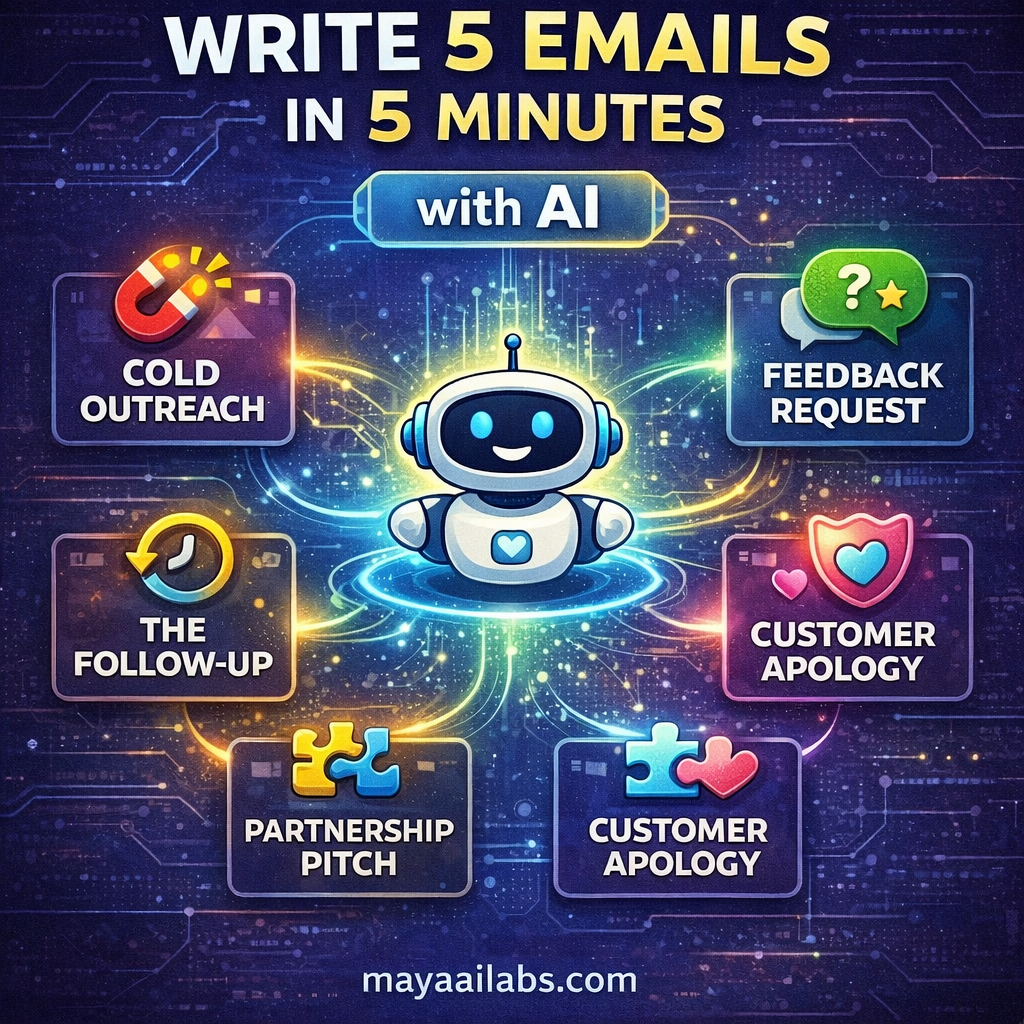
How to Write 5 Critical Startup Emails in 5 Minutes with AI

For a founder, the day is filled with writing. But no writing is more critical than your emails. A single email can land you a new customer, secure a key partnership, or get you valuable feedback. It can also be completely ignored.

The pressure to write the perfect email is immense, and it can lead to hours spent staring at a blank screen. What if you could confidently draft effective emails for the most common startup scenarios in just a few minutes?

This guide will show you how. We’ll provide 5 battle-tested AI prompts that you can use to generate clear, concise, and persuasive emails instantly.

The Core Tool: Your AI Writing Assistant

For this workflow, you can use any high-quality AI chatbot like ChatGPT, Claude, or Google’s Gemini. The power is in the prompt. For each scenario, we will provide a prompt that gives the AI the context, the goal, and the constraints it needs to produce a great result.

1. The “Cold Outreach” Email

The Goal: To contact a potential customer or partner who has never heard of you, provide value, and start a conversation.

The Prompt:

“Act as a marketing copywriter. Write a short, clear, and persuasive cold outreach email.

  • My Company: [Briefly describe Maya AI Labs and what you offer]
  • The Recipient: [Describe the person you’re emailing, e.g., ‘the founder of a new e-commerce startup’]
  • The Goal: To get them to reply and start a conversation.
  • The Hook: Start by referencing a specific achievement or piece of content they recently shared to show I’ve done my research.
  • The Value Prop: Briefly explain how my resource can help them solve a specific problem (e.g., ‘help them leverage AI without being a technical expert’).
  • The Call to Action: End with a simple, low-friction question like ‘Is this something you’re currently focused on?’ Do NOT ask for a meeting.”

2. The “Feedback Request” Email

The Goal: To ask a new user or customer for honest feedback on your product or service.

The Prompt:

“Write a short, friendly, and humble email asking a new user for feedback.

  • My Product: [Briefly describe your product/website, e.g., ‘my blog, Maya AI Labs’]
  • The Context: The recipient just signed up for my newsletter or used my product for the first time.
  • The Goal: To get them to reply with their honest thoughts and first impressions.
  • The Key Elements:
    1. Thank them for trying the product.
    2. State clearly that I’m the founder and their feedback is incredibly valuable.
    3. Ask one or two simple, open-ended questions like ‘What was your first impression?’ or ‘Was there anything you found confusing?’
    4. Make it clear that a short reply is all I’m looking for.”

3. The “Follow-Up” Email

The Goal: To politely follow up with someone who hasn’t replied to a previous email without being annoying.

The Prompt:

“Write a very short and polite follow-up email.

  • The Context: I sent an email a week ago about [briefly mention the topic of the first email] and haven’t heard back.
  • The Goal: To gently bump the conversation to the top of their inbox.
  • The Tone: Helpful and low-pressure, not demanding.
  • The Structure:
    1. Reply directly to the original email so the context is there.
    2. The body of the email should be just one or two sentences.
    3. A good phrase to use is ‘Just wanted to gently follow up on this’ or ‘Just wanted to make sure this didn’t get buried.’
    4. Reiterate the simple question from the first email.”

4. The “Partnership Proposal” Email

The Goal: To propose a collaboration with another creator, brand, or company.

The Prompt:

“Write a clear and professional partnership proposal email.

  • My Brand: [Describe Maya AI Labs and your audience]
  • The Potential Partner: [Describe the other brand and their audience, e.g., ‘a popular newsletter for startup investors’]
  • The Idea: Propose a specific, mutually beneficial collaboration (e.g., ‘I write a guest post for your newsletter, and you get free, high-quality content for your audience’).
  • The Structure:
    1. Start with a genuine compliment about their work.
    2. Briefly introduce yourself and your audience.
    3. Clearly and concisely state the collaboration idea.
    4. Explain the benefit for them and their audience.
    5. End with a simple call to action, like ‘Would you be open to exploring this idea?'”

5. The “Customer Service Apology” Email

The Goal: To sincerely apologize to a user who has had a bad experience and offer a solution.

The Prompt:

“Write a sincere and effective customer service apology email.

  • The Problem: A user reported a specific issue [e.g., ‘a broken link on my website’ or ‘a rude comment on a blog post’].
  • The Goal: To make the user feel heard, apologize sincerely, and explain how I’ve fixed the problem.
  • The Key Elements (The 3 A’s):
    1. Acknowledge: Start by acknowledging their specific complaint to show you’ve read and understood it. (‘Thank you for letting me know about the broken link on the market research post.’)
    2. Apologize: Offer a clear and sincere apology without making excuses. (‘I’m so sorry for the frustration that caused.’)
    3. Act: Explain exactly what you have done to fix the issue. (‘I have now fixed the link.’)
  • The Closing: Thank them again for bringing the issue to your attention.”

Conclusion: Your Communication Superpower

Effective communication is a founder’s superpower. By using these AI prompts as a starting point, you can eliminate the stress and delay of writing critical emails and focus on what you do best: building your business. Save these prompts, customize them for your needs, and turn a daunting task into a 5-minute workflow.

5 Myths About AI That Are Holding Your Startup Back

Artificial Intelligence is everywhere, but so is the hype and the fear. For every success story, there are a dozen articles about job losses or the complexity of the technology. It’s no wonder that many founders are paralyzed, worried that AI is too complex, too expensive, or a direct threat to their unique vision.

But what if the very things you believe about AI are what’s holding your business back? What if these common fears are just myths?

In this article, we will debunk five of the most common myths about AI. We’ll show you how to reframe your thinking and see artificial intelligence for what it truly is: the most powerful partner a non-technical founder has ever had.

Myth #1: “You Need to Be a Programmer to Use AI.”

The Myth: The most pervasive fear is that using AI requires a deep, technical understanding of coding, complex algorithms, and massive datasets. It feels like a world reserved for PhDs from MIT.

The Truth: This might have been true five years ago, but it’s completely false today. The biggest revolution in AI isn’t just the power of the models; it’s the simplicity of the interfaces. We are now in the era of No-Code AI.

Tools like Jasper (for writing), Canva Magic Studio (for design), and Durable (for website creation) have put the power of sophisticated AI behind simple, user-friendly buttons and text boxes. If you can write an email, you can use modern AI. The focus has shifted from building the AI to directing it. Your strategic vision, not your coding ability, is what matters.

Myth #2: “AI Is Only for Big Companies with Big Budgets.”

The Myth: When people hear “AI,” they often picture massive, multi-million dollar projects inside companies like Google or Amazon. It feels like a technology that is far too expensive for a bootstrapped startup.

The Truth: This is perhaps the most wrong-headed myth of all. In reality, AI is the great equalizer. Many of the most powerful AI tools on the planet operate on a “freemium” model, giving you access to world-class technology for free or at a very low cost.

You can use the free tiers of ChatGPT or Claude to conduct market research that once would have cost thousands in consulting fees. You can generate professional logos and graphics in Canva for a fraction of the price of a graphic designer. AI doesn’t give big companies an unfair advantage; it gives startups an unprecedented ability to compete with them.

Myth #3: “AI Will Replace a Founder’s Creativity.”

The Myth: This is the artist’s fear: if an AI can write or design, will my brand become generic and soulless? Will my unique creative spark be extinguished by an algorithm?

The Truth: This fear comes from a misunderstanding of the tool. Think of AI as a co-pilot, not an autopilot. Its purpose is to handle the 80% of grunt work to free you up for the 20% that requires your unique genius.

An AI writer can help you overcome writer’s block by generating five different introductions for a blog post, but you provide the creative direction and choose the one that fits your voice. An AI image generator can create a dozen concepts for a logo, but you provide the vision and select the one that represents your brand. AI is a creativity amplifier, not a replacement. It manages the tedious tasks so you can focus on high-level strategy and creative direction.

Myth #4: “AI Is a Magic Bullet That Solves Everything.”

The Myth: On the flip side of fear is unrealistic hype. Some founders believe that if they just “add AI” to their workflow, their business will instantly be a success, and customers will flock to them.

The Truth: AI is a powerful tool, but it is not a substitute for a smart strategy. The timeless principles of business still apply. You still need to understand your customer, create a valuable product, and market it effectively.

AI can help you do all of those things faster and better, but it cannot do them for you. If you give an AI a bad idea, it will simply help you execute that bad idea more efficiently. The classic programming principle “garbage in, garbage out” is more relevant than ever. Your vision and your understanding of the market are still the most important ingredients for success.

Myth #5: “It’s Too Late to Start, I’m Already Behind.”

The Myth: With the constant flood of AI news, it’s easy to feel like the revolution has already happened and you’ve missed the boat.

The Truth: We are not even in the first inning of the AI revolution. We are at the very, very beginning. The tools are powerful, but they are still in their infancy. Every single month, they become more capable and, crucially, easier to use.

This is the perfect time for a non-technical founder to get started. You don’t need to learn the complex systems of yesterday. You can jump right in with the user-friendly tools of today and grow your skills as the technology evolves. Being a “beginner” in AI right now is a huge advantage, because you’re learning on the most modern, accessible tools ever created.\

Conclusion: The Choice Is Yours

Myths are powerful. They can paralyze us with fear or blind us with hype. But once you see them for what they are—just stories—you are free to make your own choice.

AI is not a threat to be feared or a magic bullet to be worshipped. It is a tool, waiting to be picked up. It is a partner, waiting for direction. For the non-technical founder, it is the greatest source of leverage the world has ever seen.

Don’t let these myths hold you back. The best time to start using AI was yesterday. The second best time is today.

Scroll to Top